How to Improve LinkedIn Profile When You're a Creator, Not a Job Seeker

Here's something LinkedIn doesn't tell you.
When a post performs well, let's say it hits 5,000 impressions, a few hundred people click your profile.
They're curious.
The post was interesting.
They want to know if you're worth following.
And then your profile loses most of them.
Not because your profile is bad, exactly.
But because it was built for the wrong person.
It reads like a resume submitted to a hiring manager.
When the person actually looking at it is a stranger deciding whether to follow you in the next eight seconds.
I'm Omar, founder of OmniCreator. I've grown my LinkedIn to 30,000+ followers, and the thing nobody told me early on is that your profile and your content are one system.
You can write a post that genuinely resonates.
Get it in front of thousands of people, and still gain three followers from it… because your profile gave those people no compelling reason to stay.
That's the conversion gap.
And it's fixable.
Your Profile Is a Landing Page, Not a Resume
The fundamental reframe for every creator trying to figure out how to improve their LinkedIn profile:
Stop thinking about it as a document that proves your credentials.
Start thinking about it as a page that answers one question for a stranger:
"Is following this person worth my time?"
Recruiters want to know what you've done.
Followers want to know what you're going to do next, specifically, what you're going to keep posting that's worth reading.
Those are different questions.
They need different answers. And almost every piece of generic LinkedIn profile advice out there is written for the first question, not the second.
Section 1: Your Headline Is a Content Pitch
The default LinkedIn headline advice is "don't just list your job title."
That's true.
But the creator version goes further.
Your headline isn't just a value proposition for employers but it's a subscription pitch. Not sure what yours should say? These LinkedIn bio examples that actually get clients show what high-converting creator headlines look like.
It should tell strangers who you are, what you write about, and implicitly why following you is worth one of their limited attention slots.
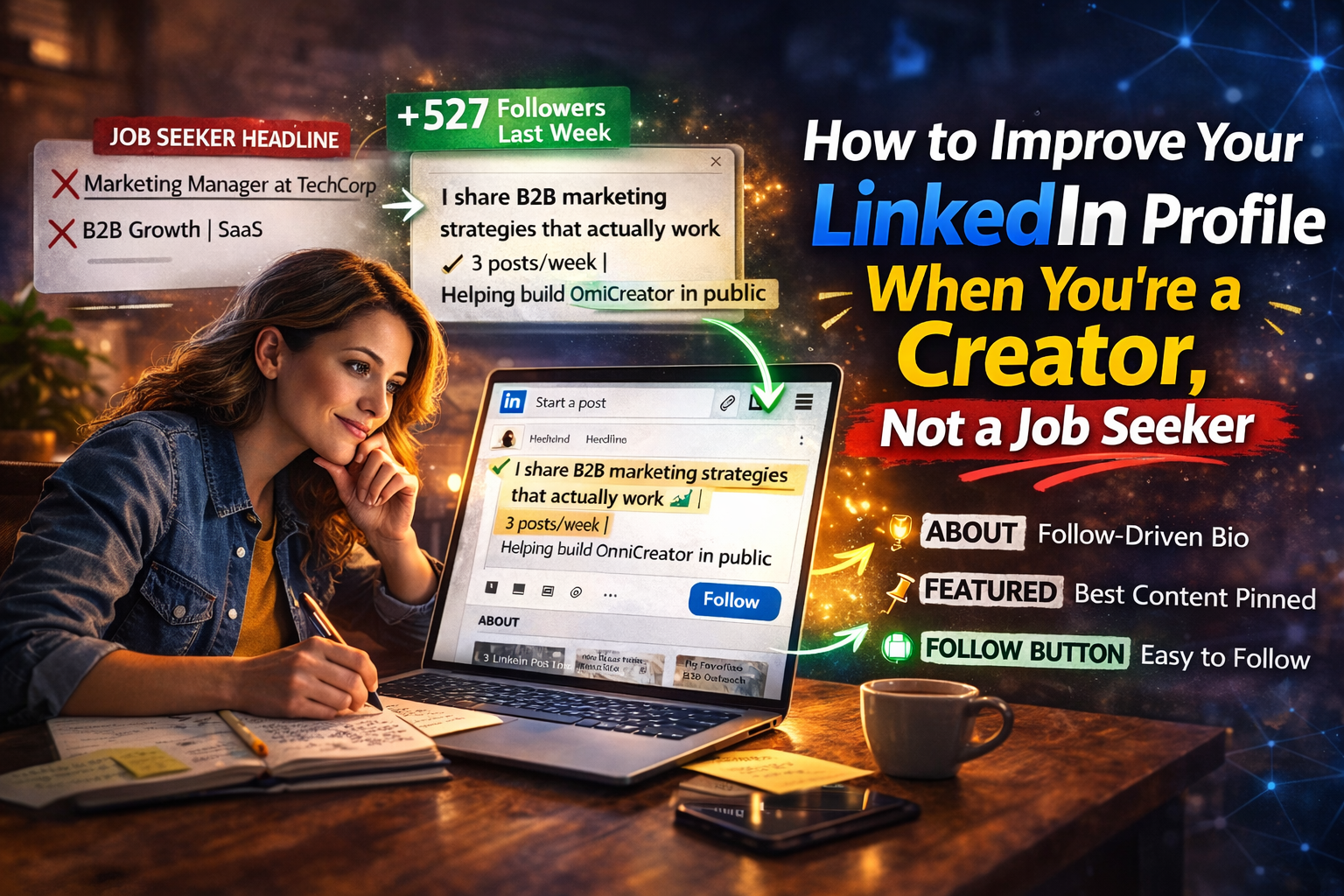
Job-seeker headline: "Marketing Manager at TechCorp | B2B Growth | SaaS"
Creator headline: "I write about B2B marketing without the jargon | 3x/week on LinkedIn | Building OmniCreator in public"
The second version tells a first-time profile visitor exactly what they'd get by hitting follow.
It's a promise about future value, not a list of past credentials.
You get 220 characters.
Think of them as ad copy for your own content, not a business card.
Section 2: Your About Section Is a Follow-CTA
Most About sections are written in chronological career order:
- Here's where I went to school
- Here's my first job
- Here's where I am now
- Here's a list of buzzwords.
This structure makes sense for a resume.
It makes no sense for converting a curious post-reader into a follower.
A creator's About section should work like this:
- Opening line:
Hook.
Same rules as a LinkedIn post, the first sentence is the only one that shows before "see more."
Make it do something.
- Paragraph 2:
What you write about and who it's for.
Specifically. "I post about the parts of building a B2B business that most founders don't talk about publicly" beats "I'm passionate about entrepreneurship and growth."
- Paragraph 3:
Why you know what you're talking about. Not a CV but one or two specific credibility signals that are relevant to your content topics.
- Closing line:
A direct follow prompt.
This feels uncomfortable the first time you write it.
Do it anyway.
Something like:
"If you're building in [space], hit follow — I post three times a week on [specific topics]."
You're allowed to ask people to follow you.
Most creators never do, and then wonder why profile visitors don't convert.
Section 3: Your Featured Section Is Your Content Portfolio
LinkedIn lets you pin up to three pieces of content at the top of your profile.
This is the most visible, most-visited section below your header, and most creators waste it on a company press release, a generic article, or nothing at all.
Pin your best-performing posts.
The ones that got real comments, real shares, real engagement.
Not because engagement is the only measure of quality.
But because a stranger visiting your profile can immediately see: this person posts things worth reading, and here's the proof.
Three strong posts in your Featured section do more for your follow conversion rate than any amount of headline optimization.
They're evidence.
They answer "is this person worth following?" with examples instead of claims.
Update this section every quarter.
What performed best three months ago should replace what performed best six months ago.
Section 4: The Follow Button (And Why Most Creators Haven't Configured It)
LinkedIn, by default, shows a "Connect" button on your profile.
For creators, this is wrong.
"Connect" asks for a reciprocal relationship.
"Follow" lets someone subscribe to your content without that friction.
Most people who discover you through a post aren't ready to connect but they're ready to follow and see if your next post is worth their time.
Go to Settings → Visibility → Followers → and turn on "Make follow primary."
Your Connect button becomes Follow.
This one change typically increases profile-to-follower conversion noticeably.
Why?
Because it removes a social commitment from what should be a low-friction action.
While you're in settings:
Customize your LinkedIn URL to linkedin.com/in/yourname.
It takes 30 seconds and makes you look like someone who's thought about their presence for more than five minutes.
Section 5: Profile-to-Content Alignment
Here's something most profile guides skip entirely:
Your profile should reflect what you actually post about.
If your headline says you're a "Marketing Executive" but you post about the psychology of pricing, creator burnout, and building a SaaS product, then there's a mismatch.
A new visitor can't tell from your profile what following you would actually get them.
The fix is to make your headline, About section, and Featured content tell a coherent story about what you post and why.
Someone who finds you through a post about content creation should land on a profile that confirms: yes, this is what this person talks about.
This is worth following.
This also has an SEO benefit.
LinkedIn profiles rank in search results, and profiles with consistent topical focus tend to show up for those topics.
The Conversion Gap in Practice
Let me be specific about what happens when this all works together.
A post performs well.
Let's say 3,000 impressions, 80 reactions, 40 comments.
Of those 3,000 impression-holders, maybe 200 visit your profile.
With a generic, job-seeker-optimized profile, you might convert 3–5% of those into followers: 6 to 10 people.
With a creator-optimized profile, clear headline about what you post, an About section that asks for the follow, Featured section showing your best work, Follow button configured, that conversion rate can jump significantly.
Same post. Same impressions.
Just a profile that actually converts the traffic it receives.
This compounds.
Every post that performs well is traffic to your profile.
Every improvement to your profile makes that traffic more valuable.
Over months of consistent posting, the difference between a profile that converts and one that doesn't is thousands of followers.
The Part That Makes All of This Work
Learning how to improve my LinkedIn profile as a creator took me longer than it should have, because I kept optimizing the profile while posting inconsistently.
A perfectly optimized creator profile on a dormant account is a locked door to an empty house.
People arrive, see no recent activity, and leave.
The profile improvements only matter if posts keep arriving to send traffic to them.
This is the problem OmniCreator was built to solve.
Batch-create a week's worth of posts in one sitting.
Schedule them out across the week, and the profile you just optimized keeps receiving consistent traffic to convert.
The media library keeps every image and post asset organized and searchable.
The ChatGPT integration helps you turn your actual thoughts into posts that sound like you.
The community connects you with real creators who engage with each other's content genuinely.
$20 a month. Seven-day free trial, no credit card required.